
Summarize This Article With AI
 Try with ChatGPT
 Try with Claude
 Try with AI Mode
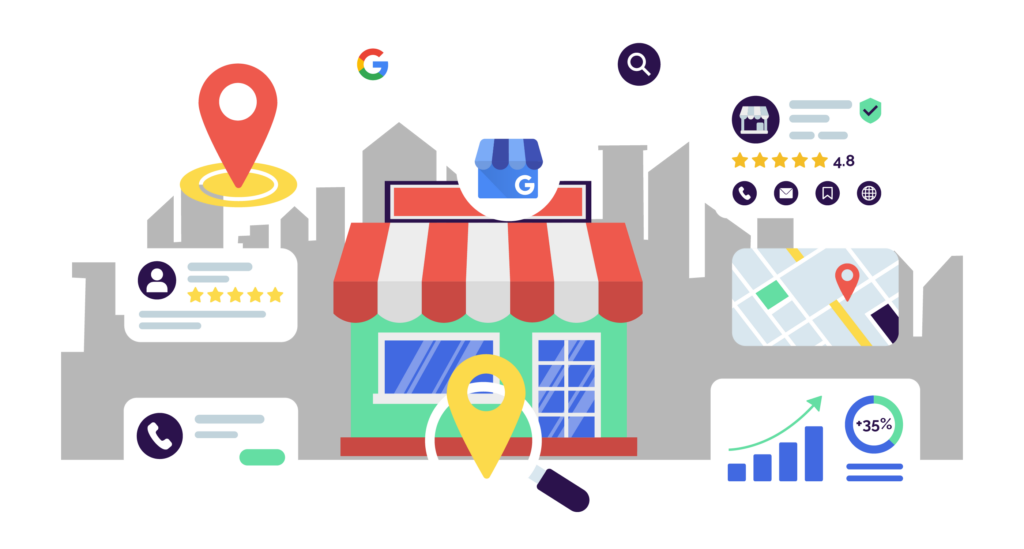
Your Google Business Profile is now the front door to your business, and most of your customers walk through it without ever visiting your website. They call you, get directions, scroll your photos, read your reviews and book an appointment, all from a panel inside Google Search and Maps. By the time someone lands on your actual site, the decision is often already made.
This guide walks you through the whole thing: what a Google Business Profile is, how to claim and verify it, how to optimize every field that moves the needle and how to keep it ranking in 2026, including inside Google’s AI answers. By the end, you’ll have a profile that shows up in the local pack, on Maps and increasingly in the AI summaries customers now read instead of clicking ten blue links.
No agency required. Just a methodical hour or two and this checklist.
Article Summary
- Your primary category is the single biggest ranking lever you control. Choose the narrowest accurate one, not the broadest.
- In 2026, Google leans harder on popularity signals (clicks, dwell time, review engagement) than on old-school prominence (age and links). A freshly active profile can now outrank a dormant veteran.
- Your profile is now a GEO asset. Reviews, products, posts and your description feed Maps AI summaries and AI Overviews, so what you publish there shapes how AI describes your business.
- Treat the profile as a live channel, not a set-and-forget listing. Weekly posts and fresh monthly photos boost visibility. Roughly 30 days of silence let it decay.
- Review velocity and recency beat raw review count. A steady drip of recent reviews you actually respond to outperforms a pile of old five-stars.
What Is a Google Business Profile (and Why It Matters in 2026)
A Google Business Profile is the free business listing that appears in Google Search and Google Maps when someone searches for your business or a nearby service you offer. It holds your business information: name, address, phone number, hours, website, photos, customer reviews and posts. For most business owners, it is now the center of their online presence, ahead of their website. You manage it through a free Google account, and it shows up in the Knowledge Panel on Search, the pin on Maps and the Local 3-Pack at the top of local results.
If you remember “Google My Business,” that’s the same tool. Google renamed it to Google Business Profile back in 2021 and moved most management directly into Search and Maps. So the whole Google Business Profile vs. Google My Business question has a boring answer: they’re the same product, just different names. Anyone still saying “GMB” is just showing their age, and honestly, so are half of us.
Here’s why it matters more than your website right now. A complete, accurate profile gets more engagement than a half-finished one. Google’s own data points are blunt about it: customers are 2.7x more likely to consider a business reputable when it has a complete Business Profile, and complete profiles earn far more clicks and visits than empty ones. The profile is the first impression, the trust check and the conversion point, all before anyone reaches your homepage.
In 2026, there’s a new layer on top. Your profile is no longer just feeding the local pack. It’s feeding Google’s AI surfaces, the answers people read in AI Overviews and the new conversational Maps experience. We’ll get deep into that later, because no one else is.

Step 1: Create and Claim Your Profile
To create a Google Business Profile, go to google.com/business, sign in with the Google account you want to own the listing, and either claim an existing listing or create a new one. This is the easy part, so don’t overthink it.
Start by searching for your business name in Google Maps. One of two things happens. Either a Google listing already exists (Google auto-generates these from public data more often than you’d think) or it doesn’t. A claimed complete listing lets you control how you show up in local search results. If it exists, you’ll see a “Claim this business” or “Own this business?” option. Click it and follow the prompts. If nothing comes up, you’ll create the profile from scratch by entering your business name and info. Google’s create-a-profile help doc covers the exact flow if you get stuck.
One word of caution before you create a brand new listing: search thoroughly first. Duplicate listings are a genuine headache, and they split your reviews and ranking signals across two profiles that then compete with each other. Check variations of your business name and any old addresses. If a customer or an aggregator has already made one, claim it rather than starting over.
Setup Checklist: NAP, Hours, Description and Contact
NAP stands for name, address and phone number and keeping it consistent everywhere is the foundation of local SEO. Enter your exact business name (the real one, not “Joe’s Plumbing Best Emergency Plumber Tampa”), your precise address or service area and a local phone number. Then match that information character-for-character on your website, your social media and every directory you’re listed in. Inconsistent NAP data confuses Google’s verification systems and quietly drags down your rankings.
Fill in your business hours (your store hours or operating hours), your website URL and an online booking or appointment link if you take them. Add special hours for holidays before they arrive, because nothing torches trust like a customer driving over to a “closed” sign on a day you said you were open.
Your business description deserves real thought, since it appears in the Knowledge Panel and is increasingly pulled into AI summaries. Lead with what you do and where, in plain language, in the first sentence. Here’s the difference:
Keyword-stuffed (bad): “Best plumber Tampa, emergency plumber Tampa, 24/7 plumbing Tampa, affordable plumber near me, top-rated Tampa plumbing services.”
Natural (good): “Family-owned plumbing company serving Tampa and the surrounding Bay Area since 2008. We handle emergency repairs, water heater installation and drain cleaning for homes and small businesses.”
The second one reads as if a human wrote it, naturally includes the keyword and the city, and gives an AI system clean, quotable information. The first one reads like a ransom note and risks a policy flag.
Step 2: Verification (Video-First in 2026)
Profile verification is how Google confirms your business is real and that you’re allowed to manage it, and in 2026, the default verification option for many new listings is a video. Not a postcard, not a phone call, a continuous video walkthrough. This trips people up, so let’s go slow here, because this is exactly where thin guides wave their hands and move on.
The video needs to be one unbroken take, no edits, that proves three things: your business exists at the location, it matches what you entered, and you have authority over it. Walk the camera from your outdoor signage and street into the interior, then to something that demonstrates management access, such as opening the register, accessing back-office areas, or showing branded equipment and tools. Show the surroundings so Google can match your location. Google’s verification help doc lists which methods apply to your specific business, as the options you see depend on your category and country.
For service-area businesses without a storefront, the video focuses on proof of operation: branded vehicles, equipment, licensing documents, mail with your business address. You’re proving the business is real even though customers don’t visit you.
Google’s ownership guidelines exist for exactly this situation. Then there’s the message that sends owners into a small panic: “This business is already managed by someone else.” Don’t spiral. This means another Google account currently has access, often a former employee, an old agency or a previous owner. Click “Request access,” fill in your relationship to the business, and submit. The current profile owner gets seven days to respond. If they approve or ignore it past the window, you can claim ownership. If they deny it, Google offers an appeal path. It’s tedious, but it’s a solved problem, not a dead end.
Step 3: Categories and Attributes (Your Biggest Ranking Lever)
Your primary category is the most important ranking decision you’ll make, because it controls which searches you’re even eligible to appear for. Choose the narrowest category that accurately describes your core business, not the broadest. A “Personal Injury Attorney” will outrank a generic “Law Firm” for injury searches every time, because Google reads that primary category as your strongest relevance signal.
Relevance, in plain terms, is how well your profile matches what someone searched. Your primary category is the loudest relevance signal you send. Pick it like it matters, because it does. Google’s category help doc explains how to find and change it.
After your primary category, add secondary categories for the other genuine services you offer. These business categories tell Google which searches you belong in. A med spa might run “Medical Spa” as primary, then add “Skin Care Clinic” and “Laser Hair Removal Service” as secondaries. Don’t pad this with categories you don’t actually serve. Inaccurate categories can trigger suspensions, and they pull you into searches you can’t convert anyway.
Then work through every relevant attribute. Attributes are the checkboxes for things like wheelchair accessibility, service options (dine-in, takeout, delivery), payment methods accepted and identity attributes like women-led or veteran-owned. In 2026, these carry more weight than they did, partly because AI systems rely on them to match businesses with specific, qualified queries. When someone asks an AI assistant for a “wheelchair-accessible vet that takes Apple Pay,” your filled-in attributes are what make you eligible to be the answer. Most businesses leave half of them blank. Don’t be like most businesses.
Step 4: Photos, Videos and Media
Photos drive clicks, and a profile with strong, current visuals consistently outperforms one with a stock logo and nothing else. Upload a real spread: exterior shots from multiple angles in both day and night and interior shots that show the space, your team and your actual products or work. Professional, high-quality photos earn more engagement than phone snaps, but authentic phone photos still beat empty ones. Remember that most people view your profile on a mobile device, so your photos and videos need to look sharp on a small screen.
Set a cadence and keep it. Aim for at least four to six fresh photos a month, and if you can swing weekly, even better. Freshness is a signal in itself. A profile that adds new photos regularly looks active and cared-for to both Google and the customer scrolling it, while a one-and-done photo dump from two years ago looks abandoned.
A common frustration: customers can upload their own photos, and you can’t remove the unflattering-but-accurate ones. You can only flag photos that violate Google’s content policies, such as spam, off-topic images, or anything genuinely inappropriate. Over-flagging legitimate customer photos isn’t just futile; it reads as manipulation and erodes trust. The fix for a wall of mediocre customer photos isn’t deletion; it’s volume. Keep adding your own high-quality ones so the good stuff rises to the top.
Step 5: Reviews and Reputation
Google Reviews are among the strongest local ranking and trust signals you have, and in 2026, their language directly feeds into AI summaries of your business. They are also a public record of your customer service, so how you respond matters as much as the rating itself. Earn them ethically by simply asking happy customers at the right moment, with a follow-up text, an email after a completed job, or a QR code on the receipt. What you cannot do is gate reviews (only soliciting the happy ones), offer incentives or buy them. Google’s reviews policy doc spells out what crosses the line, and the penalties for fake reviews are not worth it.
Here’s where most people misread the game: velocity and recency beat raw count. A business with 40 reviews spread across the last three months, with new ones landing weekly, signals an active, current operation. A business with 400 reviews, the most recent of which is from 2023, looks like it might have closed. Steady recent flow is the target, not a big lifetime number you stopped adding to.
Respond to every review, the good and the bad. Responses signal engagement to Google, show prospective customers you’re paying attention and give the AI systems summarizing your business more context to work with. When a reviewer names a specific service or location (“they fixed my tankless water heater in Brandon”), that’s a keyword and relevance signal you didn’t have to write yourself, so a quick reply that naturally echoes it helps.
One counterintuitive note: a flawless 5.0 can actually read as suspicious to savvy customers and to Google. A rating around 4.5 to 4.8 with steady, recent, genuinely-worded reviews is the real target. A few critical reviews you’ve handled gracefully make the rest believable.
Step 6: Google Posts, Offers, Products and Q&A
Google Posts let you publish updates, offers, events and products directly to your profile, and they’re conversion and engagement assets rather than a direct ranking lever. The post types are What’s New, Offer, Event and Product, and in 2026, you can schedule them ahead and publish across multiple locations at once. Google’s posts help doc covers the formats.
Use posts to keep the profile looking alive and capture clicks: a weekly What’s New, a seasonal offer and special events you’re hosting. They’re the closest thing GBP has to a social feed, and an active feed converts people who are already looking at you. They won’t single-handedly lift your pack ranking, so don’t expect magic, but a dead post section is a missed conversion every week.
Products and posts now matter for a second reason: they feed Maps AI summaries. When you list products with clear names and descriptions, you’re giving Google’s AI structured, up-to-date information about what you actually sell, which makes you more likely to be surfaced in conversational queries. We’ll expand on that next.
The Q&A section is publicly editable, which means a competitor or a confused customer can answer questions about your business before you do. Get ahead of it. Seed 10 to 15 of the questions you actually get asked (“Do you offer free parking?” “Is there a waiting list?”), and answer them yourself from your business account. You control the narrative and pre-empt the awkward unanswered question at the top of your panel.
How Google Ranks Local Businesses: Relevance, Distance and Prominence
Google ranks local businesses on three factors: relevance, distance and prominence. Relevance is how well your profile matches the search. Distance is how close you are to the searcher. Prominence is how well-known and established your business is, traditionally driven by links, mentions, age and overall reputation. Google’s local ranking factors doc lays out the official version.
[IMAGE PLACEHOLDER: Custom diagram of the three local ranking factors (Relevance · Distance · Prominence), with a 2026 callout showing engagement signals feeding into Prominence. Graphics team: source the factor list from Google Local Ranking Guidelines. Alt text: “Google local ranking factors relevance distance prominence 2026”]
Now here’s the part the checklist guides skip, and it’s the strategic spine of this whole piece. In 2026, the weight of prominence has shifted. Google leans more heavily on popularity signals, the real engagement your profile earns, and less on the old proxies of age and backlinks. Popularity here means the things Google can measure directly: how often people click your profile, how long they engage with it, whether they request directions or call you, and how actively customers leave reviews and interact with them.
The practical consequence is genuinely good news if you’re new. A freshly launched, actively managed profile can now outrank an older, dormant competitor. Age alone no longer protects the lazy incumbent who claimed their listing in 2016 and never touched it again. The business that posts weekly, gathers recent reviews, keeps photos fresh and gets clicked is sending live popularity signals that an aging, neglected profile simply can’t match.
You can’t move your business closer to the searcher, so distance is mostly fixed. But relevance (categories, descriptions, attributes) and prominence (engagement, reviews, activity) are both up for grabs. That’s where the work goes.
Google Business Profile for AI Search (AI Overviews, Maps AI and GEO)
Your Google Business Profile is now a primary data source for Google’s AI answers, which means optimizing it’s no longer just SEO; it’s GEO. GEO stands for generative engine optimization: structuring your information so AI systems can find, trust and cite it. When someone asks Google’s AI Overviews or the new conversational Maps experience for a local recommendation, the AI assembles its answer from your reviews, products, posts and description. Your profile isn’t just ranked anymore. It’s read, summarized and quoted.
This is the section no top competitor covers properly, so let’s get specific about what to actually do.
First, write your description and product listings for extraction. AI systems pull clean, factual, self-contained statements. “We offer same-day emergency plumbing across Tampa with licensed technicians” is extractable. A vague paragraph of adjectives is not. State what you do, where, for whom and what makes you qualified, in plain declarative sentences.
Second, keep everything ruthlessly accurate, because AI cross-checks your profile against your website and other sources. If your hours, services or location conflict between your profile and your site, the AI gets less confident about citing you and may surface a competitor it trusts more. Consistency isn’t just a NAP nicety; it’s a trust signal for the machines deciding who gets recommended.
Third, understand the direction of travel. Google has been rolling out an AI interface for Maps, and Gemini can now help manage Business Profiles directly. The profile is becoming a two-way AI surface, both the input the AI reads and, increasingly, the interface you manage it through. Businesses that get their structured information right now will be the ones AI confidently recommends as this matures.
This is the heart of what we call Search Everywhere Optimization: your business needs to be findable and citable across Search, Maps, AI Overviews and the AI assistants people increasingly ask instead of typing a query. Your profile is the single highest-leverage asset for all of it, and the website traffic it sends is increasingly qualified, ready-to-act visitors.
Service-Area Businesses and Multi-Location
Service-area businesses, the plumbers, cleaners and mobile services who go to the customer rather than the other way around, should hide their street address and define service areas instead. In your profile settings, clear the address field and add the regions, cities or zip codes you actually serve. Listing a real address you don’t receive customers at, or padding your service area with regions you don’t cover, both risk suspension. Google’s service-area business doc explains the setup.
For multi-location businesses and franchises, consistency is everything. Each location needs its own accurate profile, NAP, local phone number where possible, and reviews and photos. Don’t let location pages blur together. The brands that win multi-location local search treat each profile as a distinct, fully-optimized entity, not a copy-paste of the head office.
Maintenance: Your Weekly and Monthly GBP Routine
A Google Business Profile is a live channel, not a set-and-forget listing, and roughly 30 days of inactivity measurably decays your visibility. The profiles that hold and grow their rankings are the ones with a routine. Here’s a realistic one you can actually keep.
Weekly, do two things. Publish one Google Post (a What’s New, an offer, an event, whatever’s true that week) and respond to every new review that’s come in. Fifteen minutes, tops. This is the heartbeat that keeps your popularity signals warm.
Monthly, do three things. Add four to six fresh photos, audit your core info (hours, phone, website, special hours for any upcoming holidays), and skim your Q&A and insights for anything new to address. Quarterly, step back and review your categories and attributes against any new services you’ve added.
That’s the whole job. It sounds modest because it is, but the compounding effect is real: a profile worked on this rhythm steadily pulls ahead of competitors who claimed theirs and walked away. Consistency beats intensity here every single time.
Common Problems and How to Fix Them
Even well-run profiles hit snags. Here are the ones we see most, with direct fixes.
My profile was suspended. Suspensions usually trace back to a guideline violation: a keyword-stuffed business name, an inaccurate address, a mismatched category or duplicate listings. Fix the underlying issue first, then file a reinstatement request through your profile. Be honest and specific about what you corrected. Vague appeals get ignored.
I’m not showing up in the local pack. Most often, this is distance (you’re outside the searcher’s radius), a too-broad primary category, an incomplete profile or weak engagement signals. Tighten your primary category, complete every field and start building recent review velocity. If you’re brand new, give it a few weeks of active management before assuming something’s broken.
I have duplicate listings. Duplicates split your signals and confuse customers. Identify them, claim the ones you can and report the extras through Google’s tools so they can be merged or removed. Keep the listing with the most reviews and history as your primary.
My video verification failed. Re-record in good lighting, in one continuous take, clearly showing signage, the interior and a genuine proof of management action. If it keeps failing, you can request a different verification method or contact Google Business Profile support directly through your account.
The Real Takeaway: Treat Your Profile Like the Storefront It Is
Your Google Business Profile is now a live, AI-fed channel that decides whether you show up in the local pack, on Maps and inside the AI answers your customers increasingly read instead of clicking. The highest-leverage moves are clear: nail your primary category, win on engagement rather than waiting on age and structure your information so AI can confidently cite you.
Set up the profile properly, work it on a weekly and monthly rhythm, and you’ll out-position competitors who treated theirs like a phone book entry. The whole thing is genuinely doable without an agency, which is exactly why we wrote it out step by step.
That said, if you’re managing local visibility across multiple locations, fighting suspensions or trying to get cited consistently across Search, Maps and AI, that’s where it stops being a checklist and starts being a strategy. If you want a team that handles this across the board, that’s what our Local SEO and Search Everywhere Optimization work is built for. Book a free strategy call, and we’ll show you where your local visibility is leaking and how to fix it.




















Leave a Reply