
You could have a perfectly maintained website, updated WordPress plugins, strong passwords, and all the right security measures in place.
And still be running software with a vulnerability that potentially allows hackers to take control of your server.
Not exactly the news you want with your morning coffee.
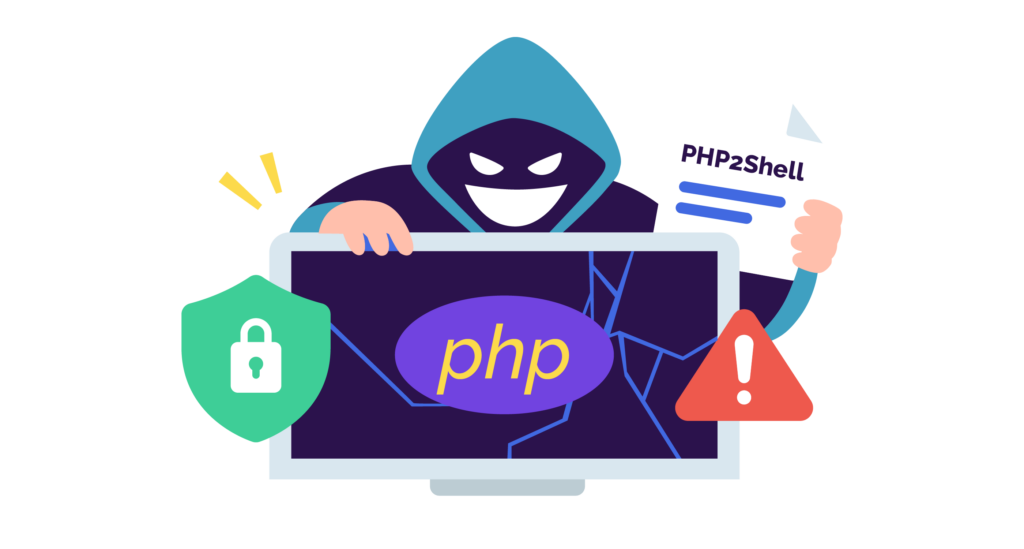
Unfortunately, that’s the situation website owners around the world have found themselves in following the discovery of two critical security vulnerabilities in PHP, the programming language behind millions of websites.
The vulnerabilities, collectively nicknamed PHP2Shell, have triggered emergency software updates, millions of reported hacking attempts, and precautionary website shutdowns by governments and major organizations.
But does that mean your WordPress site has been hacked? Is your business website vulnerable? And what exactly are you supposed to do about it?
Before you start frantically changing every password you own, here’s what’s actually happened, who needs to be concerned, and how to protect your website.
Article Summary
- Two critical PHP vulnerabilities were disclosed on October 21, 2026. Known as PHP2Shell, they could allow attackers to execute malicious code on vulnerable website servers without logging in.
- PHP powers approximately 69% of websites whose server-side language can be identified, including websites built with WordPress, Drupal, and Joomla.
- Millions of hacking attempts have been reported, but this does not mean millions of websites have been successfully compromised.
- Emergency security patches are available. PHP versions 8.2.35, 8.3.36, 8.4.27, and 8.5.12 address the two original vulnerabilities.
- Website owners should contact their hosting providers and verify their PHP installation has been patched. Updating WordPress alone won’t fix the underlying issue.
What Is PHP2Shell?
Let’s start with the basics.
PHP is a programming language that helps websites work behind the scenes.
Think of your website like a restaurant.
Your visitors see the dining room: the beautiful design, product pages, blog posts, and checkout process.
PHP is part of the kitchen.
It processes requests, retrieves information from databases, handles forms, and helps deliver the finished website to your visitors.
You probably never see it. In fact, you might not even know your website uses it.
But according to W3Techs, PHP was used by approximately 69.2% of websites with an identifiable server-side programming language as of October 25, 2026.
That makes it a pretty important piece of internet infrastructure.
And it’s why the discovery of two vulnerabilities in PHP’s underlying code has caused such concern.
The flaws, identified as CVE-2026-109618 and CVE-2026-109619, involve problems with how PHP handles memory and certain errors.
Without getting too technical, these weaknesses can potentially allow someone outside a website to manipulate its server into doing things it was never supposed to do.
Security professionals call this remote code execution, or RCE.
In plain English, an attacker may be able to run malicious instructions on your website’s server without needing your username or password.
And depending on how the server is configured, that could give them access to sensitive information, the ability to change website content, or even control of parts of the server.
Both vulnerabilities received a critical severity rating of 9.2 out of 10.
You can read the original technical details in the official PHP security advisory.

What Actually Happened With the PHP Security Flaws?
The situation developed quickly, particularly once the vulnerabilities became public.
Security researchers from cybersecurity companies Calif and Wiz independently discovered serious weaknesses in PHP using AI-assisted security research.
The flaws had existed within PHP’s underlying code for years, but demonstrating how attackers could exploit them required particularly complex techniques.
According to Wiz’s research, advanced AI tools helped researchers develop working exploits for weaknesses that had previously been extremely difficult to use.
That’s an important part of this story.
AI didn’t suddenly create a vulnerability in PHP.
The vulnerability was already there.
AI helped researchers find and demonstrate how to exploit it.
And there’s a rather uncomfortable flip side to that discovery: tools that make it easier for security researchers to find weaknesses can also make it easier for malicious actors to investigate them.
A Timeline of the PHP2Shell Incident
October 20: PHP issues an emergency warning
The PHP security team announced that two critical vulnerabilities had been discovered and that emergency security updates were being prepared.
October 21: Emergency patches are released
The PHP project released updated software versions to address both vulnerabilities.
At the same time, government cybersecurity agencies began urging organizations to update vulnerable systems immediately.
Some governments and businesses temporarily took websites offline while applying patches.
October 22: Millions of hacking attempts reported
Cloudflare reported that attempts to exploit the vulnerabilities had surged following public disclosure.
According to Reuters, the company initially detected thousands of attempts, followed by hundreds of thousands within hours and eventually millions.
Amazon Web Services also reported detecting attempts against its security monitoring systems dating back to October 17, before the vulnerabilities were publicly disclosed.
Importantly, these findings demonstrate attempted exploitation, not that every attempt succeeded.
October 23: A further vulnerability is disclosed
PHP published another advisory relating to a separate, less likely remote code execution scenario, tracked as CVE-2026-115560.
This issue requires an unusual combination of application settings and is being handled through PHP’s regular release schedule.
The PHP team recommended a specific temporary configuration change for affected environments.
Meanwhile, the Netherlands’ National Cyber Security Centre reported that large-scale exploitation appeared less likely than initially feared because successful attacks were technically complex.
Its advice remained unchanged: update immediately.
Why Are Experts So Concerned?
The biggest concern isn’t simply that a vulnerability exists.
Software vulnerabilities are discovered and fixed all the time.
What makes PHP2Shell particularly serious is the combination of three factors.
1. PHP Is Used Across a Huge Portion of the Web
Unlike a vulnerability affecting one WordPress plugin or a particular application, PHP2Shell affects the underlying programming language.
That means the problem potentially extends to numerous content management systems, applications, and hosting environments.
Security researchers demonstrated attacks against applications including WordPress, Drupal, and Joomla.
And because the weakness exists below the application level, having an otherwise secure website doesn’t necessarily protect an outdated PHP installation.
2. Attackers May Not Need Login Credentials
Usually, when people think about website hacking, they picture stolen passwords or someone gaining access to an admin account.
PHP2Shell is different.
In vulnerable environments, attackers may be able to trigger malicious behavior through specially crafted requests sent directly to the website server.
They don’t necessarily need to log into WordPress first.
That’s particularly concerning for publicly accessible websites because anyone on the internet can potentially send requests to the server.
3. AI Is Changing the Speed of Cybersecurity Research
Perhaps the biggest long-term story here is the role of artificial intelligence.
The researchers at Wiz explained that AI helped make complex exploitation techniques significantly more practical.
We’re entering a world where AI can help discover vulnerabilities, investigate software patches, and accelerate the development of working exploits.
That makes the time between a vulnerability being announced and attackers attempting to exploit it increasingly important.
For website owners, the lesson is simple: security updates can no longer be something you get around to when there’s a quiet Friday afternoon.
Could Your Website Be Affected by PHP2Shell?
Potentially, yes.
But the level of risk depends on what your website runs, which PHP version is installed, whether security patches have been applied, and how your hosting environment is configured.
Let’s look at the most common scenarios.
WordPress Websites
If your website runs on WordPress, this should be on your radar.
WordPress relies on PHP to operate, so vulnerable PHP installations can expose WordPress websites even if the WordPress software itself is up to date.
In an official statement published on October 21, WordPress confirmed that the vulnerabilities are not specific to WordPress and that no WordPress update was required or planned to resolve them.
Instead, the underlying PHP installation needs to be updated.
In other words, clicking that reassuring little “Update WordPress” button isn’t necessarily going to solve this one.
Your hosting provider may already have installed the security patches, particularly if you’re using managed WordPress hosting.
But don’t assume.
Check.
Drupal, Joomla, and Other PHP-Based Websites
The same underlying risk applies to other platforms using PHP.
This includes Drupal, Joomla, and custom-built PHP applications, among others.
Security researchers have demonstrated possible exploitation across several common content management systems.
The important question isn’t simply which CMS you’re using.
It’s whether the underlying PHP environment has been secured.
Shopify, Hosted Platforms, and Non-PHP Websites
If your website doesn’t use PHP in its underlying infrastructure, the specific PHP2Shell vulnerabilities would not directly affect it.
For businesses using fully hosted platforms such as Shopify, management of the platform’s underlying servers is generally handled by the provider rather than individual merchants.
However, third-party integrations, custom applications, and externally hosted services may still use PHP.
So while you probably don’t need to start investigating server configurations yourself, it is worth checking with the relevant providers if you operate custom integrations or external applications.
What Could Happen If Hackers Exploit PHP2Shell?
It’s important to separate potential consequences from confirmed incidents.
A vulnerable PHP installation does not automatically mean a website has been hacked.
However, successful exploitation could create several serious problems.
Sensitive information could be exposed. Depending on the system, attackers might access customer information, login credentials, authentication tokens, or other data stored in server memory.
Malicious code could be installed. An attacker gaining sufficient access could alter files, introduce malware, or create hidden ways to regain access later.
Website content could be changed. Pages might be defaced, unwanted content could be inserted, or visitors could be redirected to malicious destinations.
Websites could experience downtime. Server compromise, malicious activity, or emergency shutdowns could make a website unavailable to customers.
For businesses relying on their websites for leads, bookings, ecommerce revenue, and customer service, any of these outcomes could have significant financial consequences.
And there’s another potential problem that deserves attention.
Your search visibility.
Could PHP2Shell Affect Your SEO and Google Rankings?
Yes, although not simply because your website is using a vulnerable version of PHP.
There’s no evidence that Google automatically penalizes websites merely for having an unpatched PHP installation.
The SEO risks arise when exploitation leads to problems with website accessibility, content integrity, or visitor safety.
And those consequences can be significant.
Hackers Could Inject Spam Content Into Your Website
One potential consequence of website compromise is SEO spam.
Attackers sometimes create hundreds or thousands of unauthorized pages on legitimate websites, targeting unrelated commercial keywords or redirecting visitors to external websites.
You might discover that your business website has suddenly started appearing in Google for counterfeit products, gambling-related searches, or other completely unrelated topics.
Not exactly the topical authority you were aiming for.
Google’s spam policies specifically address hacked content, including malicious code and unauthorized pages.
These types of attacks can damage a website’s search presence and create a substantial cleanup process.
Malware Could Trigger Google Security Warnings
Google actively monitors websites for certain security threats.
If it identifies malware, phishing content, or other harmful activity, it may display warnings to users before they visit your website.
Those warnings can discourage visitors from clicking through, affecting traffic, trust, and conversions.
Google explains these potential consequences in its documentation on diagnosing search traffic drops.
Downtime Could Disrupt Crawling and Indexing
If your website is temporarily unavailable while security updates are applied, that’s not automatically an SEO disaster.
A brief, properly managed interruption is generally preferable to leaving a critical vulnerability exposed.
However, prolonged downtime or repeated server errors can prevent Google from accessing important pages.
If those problems continue, they may eventually affect crawling, indexing, and organic search performance.
This is why technical SEO isn’t just about page speed, structured data, and making Google happy.
It’s also about maintaining the technical infrastructure that keeps your website accessible, trustworthy, and working as intended.
What Should Website Owners Do About PHP2Shell?
The good news is that security patches for the two original vulnerabilities are already available.
The bad news is that the update needs to happen at the PHP installation level, which isn’t necessarily something you can do from your usual website dashboard.
Here’s where to start.
Step 1: Find Out Which PHP Version Your Website Uses
If you’re using WordPress, you can check your PHP version by following these steps:
- Log into your WordPress dashboard.
- Navigate to Tools → Site Health.
- Select Info.
- Expand the Server section.
- Find your current PHP version.
You can also check your hosting provider’s control panel.
For other systems, ask your developer or hosting provider to confirm which version is running.
Step 2: Confirm That Your PHP Installation Has Been Patched
According to the official PHP security advisory, the two original vulnerabilities were fixed in the following versions:
| PHP Version | Security-Fixed Release |
| PHP 8.2 | 8.2.35 |
| PHP 8.3 | 8.3.36 |
| PHP 8.4 | 8.4.27 |
| PHP 8.5 | 8.5.12 |
If your website uses one of these PHP branches, it should be running at least the corresponding security-fixed version.
If your site uses an older release, contact your provider to verify whether the appropriate security fixes have been applied.
Some hosting and Linux vendors provide security patches for older PHP releases without changing the version number in the usual way.
However, PHP 8.1 and earlier no longer receive standard security support from the PHP project itself.
And PHP 8.2 is scheduled to reach end of life on December 31, 2026.
So if your website is running an older PHP release, it’s worth discussing a longer-term upgrade rather than treating this as a one-time fix.
Step 3: Contact Your Hosting Provider
For most business owners, this is probably the most important step.
You don’t necessarily need to understand the technical details of PHP2Shell.
You do need confirmation that your hosting environment has been secured.
Ask your provider:
- Has our PHP installation been patched against CVE-2026-109618 and CVE-2026-109619?
- Are there any additional security measures we need to take?
- Have you identified any suspicious activity affecting our hosting environment?
- Does the October 23 advisory require any additional configuration changes for our website?
A reputable provider should be able to explain what protections are in place and whether any action is required from you.
If you manage your own server, your development or security team should follow PHP’s official update and mitigation guidance.
Step 4: Back Up Your Website and Test Updates
Before making significant changes to your hosting environment, make sure you have a current, recoverable backup.
PHP version upgrades can sometimes cause compatibility problems with older plugins, themes, or custom applications.
Ideally, test major changes in a staging environment and verify that important website functionality continues working after the update.
Check forms, checkout processes, customer accounts, integrations, and other essential features.
Just don’t let an extended compatibility project become an excuse to leave a critical security vulnerability unpatched.
Step 5: Check Google Search Console for Security Issues
If you’re responsible for your website’s organic performance, this is a good opportunity to check for signs that something may already be wrong.
In Google Search Console, review the Security Issues report.
Look for alerts involving hacked content, malware, phishing, or other suspicious activity.
You should also check whether there are unusual increases in indexed pages, unexpected website redirects, or changes in crawl errors.
Google recommends periodically using the site: search operator to look for unfamiliar content appearing in its index.
For example:
site:yourwebsite.com
If you suddenly discover pages you never created, investigate.
Remember, though, a clean Search Console report doesn’t guarantee your website hasn’t been compromised.
It’s a useful monitoring tool, not a replacement for a professional security assessment.
Step 6: Investigate Any Signs of Compromise
If you notice unexpected administrative accounts, modified website files, unusual redirects, unfamiliar pages, or suspicious server activity, contact your hosting provider or incident response team.
They can investigate logs, check for malicious files, determine whether sensitive information was exposed, and assess whether attackers established persistent access.
Simply applying a security patch may prevent further exploitation, but it won’t necessarily remove malware or unauthorized access already present on a compromised system.
Credentials and authentication keys may also need to be rotated after the environment is secured.
Step 7: Keep Monitoring Your Website
Finally, don’t treat cybersecurity as something you check once and forget about.
Regular software updates, vulnerability monitoring, website backups, and technical health checks should all form part of your ongoing website maintenance.
Your website is a business asset.
It deserves more attention than simply checking whether the homepage still loads.
Has PHP2Shell Been Fixed?
The two original critical vulnerabilities have been patched, and updates have been available since October 21, 2026.
However, the existence of a patch doesn’t mean every website has installed it.
There is also a separate issue, CVE-2026-115560, disclosed on October 23.
The PHP team considers exploitation of this additional vulnerability unlikely because it requires a specific, unusual application configuration.
For affected environments, PHP recommends temporarily disabling the session upload progress feature until its next regular bugfix release. This should be assessed and implemented by whoever manages the PHP configuration.
As of October 23, the Dutch National Cyber Security Centre reported that the original vulnerabilities were proving complex to exploit, reducing the estimated likelihood of widespread successful attacks.
That is reassuring.
But it isn’t a reason to ignore the updates.
And it certainly doesn’t mean that every vulnerable website is now safe.
The Bigger Lesson: Website Security Is Everyone’s Problem
There’s a tendency to think of cybersecurity as something that lives entirely within the IT department.
Marketing looks after traffic. Sales looks after leads. Developers look after the website.
Nice, neat responsibilities.
Unfortunately, the internet rarely cooperates with organizational charts.
If your website is compromised, it doesn’t matter which department technically owns the problem.
Your customers may be affected. Your leads may stop arriving. Your search visibility may suffer. And your brand’s reputation could take a hit.
The PHP2Shell incident is an important reminder that even widely used, well-established technologies can contain serious vulnerabilities that remain undiscovered for years.
It’s also a reminder that AI is accelerating the pace of cybersecurity research, for both defenders and potential attackers.
For now, the immediate priority is straightforward.
Find out whether your website uses PHP, confirm that the relevant patches have been applied, and investigate any signs of compromise.
You don’t need to become a cybersecurity expert overnight.
But you do need to know who’s looking after the technology your business depends on.
And if your hosting provider hasn’t responded to your security questions yet, now would be an excellent time to follow up.
Is Your Website’s Technical Health Holding Back Your Search Visibility?
Security incidents are a reminder of how much your website’s underlying infrastructure matters.
At SEO Sherpa, our technical SEO specialists help businesses identify and resolve the technical issues affecting their websites’ crawlability, indexing, performance, and search visibility.
If you’re concerned about the technical health of your website and how it may be affecting your organic growth, get in touch with our team.
And for PHP2Shell-specific patching or potential security breaches, always work directly with your hosting provider or qualified cybersecurity professionals.



















Leave a Reply