

LinkedIn Pulse sounds slightly like a discontinued fitness tracker. But the publishing opportunity behind it is still very much alive.
LinkedIn articles let professionals and company pages publish long-form, native content directly on the platform. Unlike a standard feed post, an article gives you room to develop an argument, share industry insights, add visual content, and build thought leadership without trying to squeeze every useful idea into a breathless wall of text. LinkedIn currently refers to this feature as its Publishing Platform, although “LinkedIn Pulse” remains the name many marketers still use. LinkedIn describes articles as long-form content that helps establish your professional brand in a specific area of expertise.
The SEO opportunity works across two discovery systems. First, LinkedIn can surface useful articles through its feed, content recommendations, profile activity, newsletters, and professional network. Second, public LinkedIn Articles may appear in Google Search when search engines can crawl, index, and rank them. That does not mean LinkedIn’s domain authority turns every article into an instant page-one result, nor does adding a high-search-volume keyword to the title summon a queue of inbound leads before lunch. LinkedIn Pulse SEO still depends on topic relevance, content quality, profile credibility, engagement, distribution, and matching the reader’s intent.
This guide explains how to combine those elements so your LinkedIn articles earn more professional visibility, engagement, and search traffic without sounding like a blog post that escaped from your website and put on a blazer.
Article summary
- LinkedIn Pulse SEO means optimizing long-form LinkedIn articles for discovery on LinkedIn and external search engines. The platform now generally refers to the feature as LinkedIn Articles or the LinkedIn Publishing Platform.
- LinkedIn visibility depends on more than keyword placement. Profile relevance, audience response, content quality, professional relationships, and post-publication distribution all influence how far an article travels.
- Articles and feed posts serve different roles. Posts are useful for immediate conversation, while LinkedIn Articles give you more space to develop thought leadership and create durable native content.
- Publishing is only the first half of the strategy. Strong promotion, employee advocacy, comments, internal links, and a consistent content rhythm help turn one article into ongoing audience building.
- Repurposing website content requires care. LinkedIn can support content syndication, but copying every blog post word-for-word may lead to content duplication and reduce the incentive for readers to visit your site.
What Is LinkedIn Pulse?
LinkedIn Pulse is the name commonly used for LinkedIn’s long-form article publishing ecosystem, which the platform now officially calls its Publishing Platform.
It allows individual members and eligible page admins to write, format, publish, and share native articles directly on LinkedIn.
Unlike a standard post, which is designed for quick updates and conversations in the feed, a Pulse article gives you space to explore a subject in depth using headings, images, videos, embedded content, links, and rich media. That makes LinkedIn Articles useful for sharing detailed frameworks, professional opinions, research, case studies, and industry insights without requiring readers to leave the platform.
In other words, Pulse is LinkedIn’s answer to blogging. Only the blog lives inside a professional network where your readers’ job titles, industries, employers, and business interests are already part of the environment.
LinkedIn Articles, Posts, and Newsletters Are Not the Same Thing
LinkedIn offers several native content formats, and each serves a slightly different purpose. A post is a short-form update best suited to timely opinions, quick observations, questions, personal news, and conversations.
An article is a longer, more structured piece that LinkedIn positions as a way to establish expertise and strengthen your professional identity. A newsletter is a recurring series of articles built around a consistent theme, and subscribers may receive feed, in-app, push, or email notifications when a new edition is published, which gives newsletters a more direct audience-building mechanism than standalone articles.

A strong content strategy can use all three. A short post introduces an idea, a Pulse article develops it in depth, and a newsletter turns the subject into a recurring series people can subscribe to. That is a considerably healthier content ecosystem than trying to fit an entire industry analysis into a single caption, followed by “Agree?”
Why LinkedIn Pulse Is Still Relevant
LinkedIn Pulse remains valuable because it combines native content publishing with access to a professional audience.
The reader is already on the platform to learn, network, recruit, sell, research, or follow industry trends, and that context makes LinkedIn particularly useful for consultants, executives, marketers, founders, recruiters, and B2B organizations. Publishing articles can help you demonstrate expertise, build personal branding, develop thought leadership, reach connections and followers, support lead generation, create content for employee advocacy, and strengthen a company Page.
LinkedIn may distribute articles beyond your immediate connections based on factors such as content relevance and community engagement through likes, comments, and shares, which can give useful articles the potential to travel beyond the author’s existing network. But potential is doing important work in that sentence.
Publishing natively does not guarantee distribution, because LinkedIn still needs evidence that the content is relevant, credible, and worth showing to more people. That is why profile optimization, topic selection, strong writing, audience engagement, and promotion all matter.
LinkedIn Pulse Can Support External Search Visibility
Public LinkedIn Articles can also be discoverable outside LinkedIn when search engines crawl and index them. To make articles visible on and off the platform, the author’s public profile visibility must be enabled through LinkedIn’s public profile settings. This creates a second layer of opportunity, and a well-optimized article may attract readers through the LinkedIn feed, profile activity, search within LinkedIn, newsletter notifications, shares from other users, Google Search, and AI platforms referencing public web content.
However, Pulse optimization is not the same as optimizing a blog post on your own website.
You have less control over technical SEO, page structure, schema, internal linking, analytics, and conversion paths, because LinkedIn owns the platform and you are borrowing the publishing space.
That makes Pulse useful for reach and authority, but it should complement your owned content rather than replace it. Your website remains where you build an email list, control the customer journey, create conversion-focused landing pages, and develop long-term domain authority. LinkedIn helps bring professional attention to that ecosystem.
Integrating Pulse articles into your broader LinkedIn company page SEO strategy can significantly boost your brand’s authority and search footprint. While an optimized company page helps establish your business’s presence in search results, publishing Pulse articles under your company page allows you to target long-tail, high-intent keywords with in-depth content.
Furthermore, regular long-form content publishing sends positive activity and engagement signals to LinkedIn’s algorithm. When employees share company-published Pulse articles or when members engage with them through comments and reposts, it drives increased traffic back to your primary company page, creating a virtuous cycle of engagement and search visibility.
How LinkedIn Pulse Fits Into a Broader LinkedIn SEO Strategy
While LinkedIn Pulse articles allow you to target detailed topics and rank for long-form search intent, long-form content is just one element of a complete social search presence. To maximize your reach on the platform, Pulse articles should work in tandem with an optimized personal profile, strategic keyword placement across your headline and About section, and active feed updates. For a comprehensive overview of profile optimization, algorithm ranking factors, and social search tactics, explore our complete guide to LinkedIn SEO.
Integrating Pulse articles into a broader Social SEO strategy allows you to optimize content across social media platforms and ensure your posts surface both in-app and within Google search results.
Pulse Works Best as Part of a Content Pyramid
The most efficient approach is to treat LinkedIn Articles as a single layer within a broader content pyramid. Start with one substantial source asset, such as a research report, a detailed blog post, a webinar, a podcast, a client case study, or a strong internal framework. Then adapt the core ideas into several native formats.
One detailed website article could become a Pulse article centered on one central argument, three short feed posts highlighting distinct insights, a carousel summarizing the framework, a short video explaining the strongest takeaway, a newsletter edition adding fresh commentary, and several employee advocacy posts tailored to different roles.
This creates content rhythm without forcing your team to invent an entirely new idea every morning, and it avoids simple content duplication.
Repurposing means adapting the idea to suit the platform and audience, whereas copying and pasting the entire original blog post is syndication. Both can have a place, but they are not the same strategy. LinkedIn Pulse is most valuable when it turns existing expertise into native content designed for professional conversation, not when it becomes the cupboard where old blog posts are stored after someone changes the headline.
How to Create LinkedIn Pulse Content People Actually Read
LinkedIn Pulse optimization starts with a fairly inconvenient truth:
No amount of keyword placement can rescue an article nobody wants to finish.
LinkedIn Articles need to earn attention from a professional audience already saturated with opinions, company updates, collaborative articles, industry news, and posts that begin with “I’m humbled to announce.”
A strong Pulse article should be useful enough to save, credible enough to share, and specific enough to associate with your expertise, which means choosing a focused topic, making a clear promise, and delivering practical value without turning the article into a lightly disguised sales brochure.
Start With a Specific Professional Problem
Broad topics tend to produce broad, forgettable articles. “Digital marketing trends” could mean almost anything, whereas “Three ways B2B brands can use employee advocacy to increase LinkedIn reach” gives the reader a clearer reason to click.
The best LinkedIn Article topics usually sit at the intersection of what your professional audience cares about, what you understand well, what supports your wider brand, what is timely enough to feel relevant, and what is substantial enough to justify a long-form format.
For example, a cloud computing consultant might write about how companies should compare cloud migration costs, common Microsoft Azure implementation mistakes, or a framework for evaluating cloud computing services.
These are more effective than a generic piece titled “The Future of the Cloud,” which sounds important but also sounds as though it could have been written by nearly anyone with internet access and a functioning keyboard.
Use audience insights to narrow the subject: review client questions, comments on previous posts, search queries, sales conversations, and engagement data, then look for recurring points of confusion or disagreement.
Those are often stronger content opportunities than simply choosing high-search-volume keywords.
Write a Headline With a Clear Promise
Your title influences whether people click from the feed, your profile, an email notification, or Google Search, so it should tell the reader what the article contains and why it matters. A useful headline usually combines the main topic, a clear benefit or outcome, a specific angle, and relevant keywords where natural. “Thoughts on B2B Content” is weak; “How to Build a B2B Content Strategy That Generates Inbound Leads” is better; and “A Five-Step B2B Content Strategy for Turning Industry Expertise Into Inbound Leads” is stronger still.
The strongest version is not necessarily the longest. It’s the one that removes the most uncertainty. Emotional hooks can help, but they should support the promise rather than inflate it. “This LinkedIn Strategy Changed Everything” may generate curiosity, but it may also attract disappointment when “everything” turns out to mean adding a stronger opening sentence. Clarity ages better than melodrama.
Open With the Bottom Line
LinkedIn readers are usually scanning, so give them the central argument early. A strong introduction should explain what the article is about, why the issue matters, what the reader will learn, and why your perspective is worth considering.
Avoid spending several paragraphs warming up, as the reader does not need a history of social media platforms to learn how to improve LinkedIn content visibility.
An opening such as the one below provides the argument and the direction:
“Most LinkedIn Articles underperform because publishing is treated as the final step rather than the start of distribution.
This article explains how to plan, optimize, and promote long-form content so it reaches more of the right professional audience.”
The rest of the article can then prove it.
Structure Articles for Scanning
Long-form does not mean visually dense. Use clear subheadings, short paragraphs, examples, and occasional lists to help readers move through the piece, and give each section one question to answer.
A useful structure might move through the problem, why it happens, a practical framework, examples, common mistakes, and a concise next step. Headings such as “Three ways to improve employee advocacy” are more useful than vague labels such as “Additional considerations.”
LinkedIn Articles support rich media, so use images, videos, slides, or charts when they explain something more efficiently than text. Good visual content might include an annotated analytics dashboard, a process graphic, a chart showing engagement trends, or a short embedded video. Don’t add visuals simply to interrupt the page. A stock image of coworkers pointing at a laptop rarely deepens the reader’s understanding of LinkedIn marketing. It mainly confirms that the laptop was present at some point.
Use Examples to Make Expertise Visible
Thought leadership becomes more credible when it includes evidence, and that does not always require a formal case study. You can use client patterns, campaign observations, industry examples, original data, personal experiments, or lessons from mistakes.
Suppose you are explaining content rhythm. Instead of saying “consistency improves LinkedIn engagement,” show what consistency looks like: a consultant might publish one detailed Pulse article each month, turn each article into three feed posts, and use the strongest insight in a short video, producing a steady publishing rhythm without creating five unrelated ideas every week.
The example converts a general principle into an executable content strategy and gives the reader something they can adapt immediately.
Keep Promotional Content in Proportion
LinkedIn Pulse can support business development, but the article still needs to deliver value before it asks for anything. If every section points back to your services, readers will recognize the article as sales collateral wearing a thought leadership name badge.
A stronger sequence is to teach the idea, demonstrate expertise, explain the process, and only then offer a relevant next step, whether that is visiting a related resource, downloading a checklist, following your profile, subscribing to a newsletter, or booking a discovery call. The call to action should feel like the logical continuation of the article, not an ambush.
Build Recognizable Content Themes
One strong article can create attention, but a consistent body of work creates association. Choose several content themes connected to the expertise you want to own.
A digital marketing agency might focus on Search Everywhere Optimization™, content marketing strategy, AI visibility, digital PR, search engine optimization, and LinkedIn marketing. These themes help create a recognizable professional identity and make planning easier because, instead of choosing an entirely new subject each time, you build a content calendar around recurring questions within each theme.
This creates a stronger feedback loop. You publish, the audience reacts, the engagement metrics reveal which ideas resonate, and you refine the next article. Over time, your profile becomes more than a CV with opinions attached. It becomes a focused publishing platform associated with a clear area of expertise.
How to Optimize LinkedIn Pulse Articles for Search
LinkedIn Pulse SEO works across two search environments. Inside LinkedIn, your article competes for attention through profiles, feeds, recommendations, newsletters, and platform search.
Outside LinkedIn, a public article may be discovered through Google Search and other engines. The overlap is useful, but optimizing for LinkedIn is not the same as optimizing a blog post on your own website.
You control the topic, headline, structure, copy, links, and visuals, while LinkedIn controls the publishing platform, technical setup, page template, and distribution systems. So the goal is not to recreate a full website SEO strategy in a single Pulse article. It is to make the subject clear, satisfy the reader’s intent, and give both LinkedIn and external search engines enough context to understand the article.
Choose One Focused Search Topic
Begin with one central question or problem, because a focused article is easier to understand, easier to structure, and more likely to attract the professional audience you actually want.
“Everything You Need to Know About Content Marketing” is too broad; “How B2B Companies Can Turn One Research Report Into a Month of LinkedIn Content” targets a clearer reader need and creates natural opportunities to discuss related concepts such as content repurposing, employee advocacy, and content distribution without wandering into every corner of the subject.
Before writing, define the reader, the problem, the search intent, the central takeaway, and the action the reader should take afterward. A planning statement such as “This article helps B2B marketing managers build a repeatable LinkedIn content system from one long-form source asset” keeps the draft on course when it becomes tempted by three unrelated industry anecdotes and a lengthy detour into personal branding.
Research Keywords Without Chasing Volume Blindly
Keyword research helps you understand how people describe the topic. Use tools such as Google Search, LinkedIn search suggestions, Google Trends, and other keyword research platforms to identify primary topic phrases, long-tail keywords, common questions, related terminology, and recurring audience problems.
High-search-volume keywords may look attractive but are not always the right fit for LinkedIn Articles. A broad phrase such as “content marketing” may attract enormous interest while giving you little indication of who the searcher is, whereas a long-tail query such as “LinkedIn content strategy for B2B consultants” has lower volume but much clearer intent, and that specificity can help you attract a more relevant audience.
Choose one primary phrase and several related terms, then use them naturally. Do not aim for a fixed keyword density. Search engines have moved far beyond counting how many times a phrase appears, and readers have always been rather good at noticing when a sentence was written to satisfy a spreadsheet. Keyword strategies should improve clarity, not make every paragraph sound as though it is repeatedly introducing itself.
Put the Main Topic in the Headline and Subheadings
The headline is one of the clearest signals describing the article, so include the primary topic when it fits naturally, then add an angle or benefit that gives readers a reason to click. “My Latest Thoughts on LinkedIn” is weak; “LinkedIn Pulse SEO: How to Improve Article Visibility” is better; and “LinkedIn Pulse SEO: Seven Ways to Increase Article Reach and Engagement” is stronger because it tells the reader what the article covers, what they will learn, and how the information is organized.
Avoid generic titles such as “The Ultimate Guide” unless the article is genuinely comprehensive enough to deserve the phrase, because the internet already contains enough ultimate guides with six paragraphs and a contact form.
Mention the main topic near the beginning of the article to quickly confirm relevance, then use descriptive subheadings to organize the supporting ideas. For a LinkedIn thought leadership article, headings such as “How to choose content themes” and “How to build a publishing rhythm” are more useful than labels like “Background” or “Other considerations.” A good subheading tells the reader what the section will answer and gives search engines more context around the subject.
Use related keywords where they belong, but do not force them into every heading. The table of contents should read like a useful roadmap, not the output from an SEO tool after someone selected “include all suggestions.”
Match the Article to Search Intent
Using the right phrase is only the beginning. You still need to provide the right type of answer. Someone searching “what is LinkedIn Pulse?” wants a definition; someone searching “how to optimize a LinkedIn article” wants instructions; and someone searching “LinkedIn Articles vs newsletters” wants a comparison.
The title, structure, and content format should match that intent. An optimization article should include a clear process, practical examples, mistakes to avoid, and measurement guidance, while a thought leadership article may require a clear argument, original insight, evidence, and a strong professional point of view.
Do not attract one search intent and deliver another. A title promising a step-by-step process should not lead to 1,500 words explaining why the topic matters followed by a three-line checklist. The reader came for the steps. Give them the steps before they begin considering whether another tab might be more cooperative.
Format the Article for Readability
Search visibility is only useful when the article holds attention after the click. Use short paragraphs, descriptive subheadings, relevant lists, occasional bold text, visual examples, and clear transitions to guide the reader through a logical progression.
LinkedIn Articles support multimedia, which can make complex information easier to understand, so an article about content performance might include a screenshot of an analytics dashboard, a chart comparing article engagement, or a short explanatory video. Each visual should have a job, because decorative images may make the page look busier without clarifying the argument.
Also include descriptive alt text where the platform allows it, since it supports accessibility and provides useful context. Write it for someone who cannot see the image, not as a hidden compartment for 14 additional keywords.
Use Internal and External Links Strategically
LinkedIn Articles can include links, so use them to help the reader continue their journey. An internal link within the LinkedIn ecosystem might point to a related article, a newsletter, a company page, or another native post, while an external link might point to original research, a supporting source, a detailed website guide, or a relevant service page.
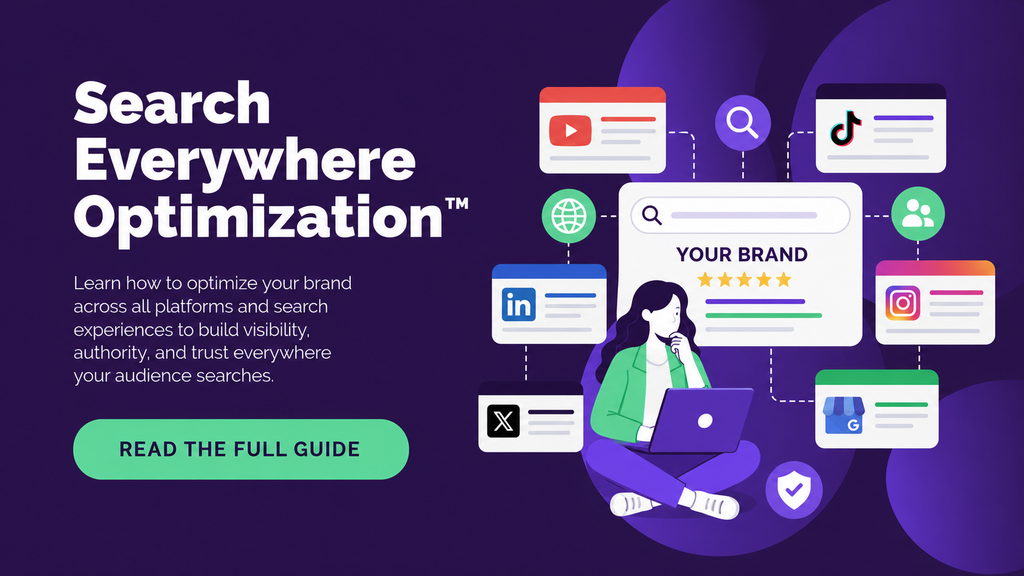
Do not turn the article into a corridor lined with exit signs. Every link should support the point being made. When linking to your website, give the reader a reason to click: “Our Search Everywhere Optimization™ guide explains how discovery now works across Google, social media platforms, marketplaces, and AI tools” is more useful than “Click here to learn more.” The link should extend the article, not interrupt it.
Optimize for Google Without Assuming Google Will Rank It
Public LinkedIn Articles can be indexed by Google, which creates opportunities for organic search visibility, particularly when the article targets a specific professional topic. But indexing is not guaranteed, and ranking is even less guaranteed.
LinkedIn’s strong domain authority may help pages get discovered, but it does not override content quality, competition, search intent, or Google’s indexing decisions.
A Pulse article still needs a focused topic, a descriptive headline, helpful content, clear structure, original insight, relevant links, and public visibility. External references and shares may also help the article gain attention beyond LinkedIn. However, your own website should remain the primary home for strategically important organic content because you have greater control there over technical SEO, structured data, internal linking, conversion paths, and long-term ownership. Use LinkedIn Pulse to expand distribution and professional visibility. Do not move your entire SEO strategy onto rented land simply because the landlord has an impressive domain rating.
Write for AI Visibility as Well as Traditional Search
Public LinkedIn Articles may also be encountered by AI platforms that retrieve or reference web content. There is no guaranteed formula for earning Google AI Overview citations or mentions in other AI-generated answers, but the same qualities that support traditional search visibility can improve machine understanding: direct answers, clear entities, descriptive headings, specific examples, original insight, factual accuracy, and consistent professional expertise.
In fact, platforms like LinkedIn Pulse are increasingly dominating AI search results, with articles regularly being pulled into AI Overviews as primary citations. Because LLMs prioritize reputable, structured, and user-generated content from high-authority domains, a well-optimized Pulse article stands a strong chance of being featured in AI-generated answers across major search engines.
Avoid vague thought leadership built from phrases such as “the landscape is evolving” and “businesses must adapt.” Those sentences technically contain words, but they provide very little extractable value. State what is changing, explain why, give an example, and offer a practical response. That structure is easier for professionals to use and easier for AI systems to interpret.
Keep the Article Current
LinkedIn features, algorithm signals, and SEO practices change, so review evergreen Pulse articles periodically and update outdated terminology, old screenshots, broken external links, retired features, statistics, and calls to action.
An article that still recommends the old Creator Mode toggle would now need revision, and a guide discussing LinkedIn analytics should reflect the current dashboard rather than an interface that readers can no longer access. Freshness is especially important for topics involving algorithm updates, AI tools, and social media features. The article does not need a complete rewrite every month, but it should not confidently teach a process that disappeared three product updates ago.
Turn LinkedIn Visibility Into Business Results
LinkedIn Pulse SEO is ultimately simple in principle. Choose a topic your audience actively cares about, explain it better than the available alternatives, make the content easy to understand, then distribute it consistently enough for the right people and search systems to find it. Publishing builds the asset. Promotion builds the audience around it. And a well-optimized profile, a topically aligned network, and a steady content rhythm are what turn one article into durable professional authority rather than a single post that briefly appears and quietly sinks.
Treat LinkedIn as one layer within a broader Search Everywhere Optimization™ strategy, instead of a replacement for your owned content. Your website remains where you control the customer journey and build long-term domain authority, while LinkedIn brings professional attention to that ecosystem and helps your expertise surface across feeds, search engines, and AI tools.
Want to turn LinkedIn visibility into measurable search demand and qualified leads?
Book a free discovery call with SEO Sherpa to build a Search Everywhere Optimization™ strategy that connects your LinkedIn content, your website, and every other place your audience searches.






















Leave a Reply