

The internet has a duplication problem.
Not the shady “copying blog posts word-for-word” kind. The accidental kind.
The same page might exist at:
- /product
- /product/
- /product?ref=homepage
- /product?utm_source=email
To a human, those URLs clearly lead to the same page.
To search engines, they look like completely different pages.
And when multiple URLs contain the same content, search engines have to decide which one should appear in search results. Sometimes they guess correctly. Sometimes they don’t.
That’s where canonical tags come in.
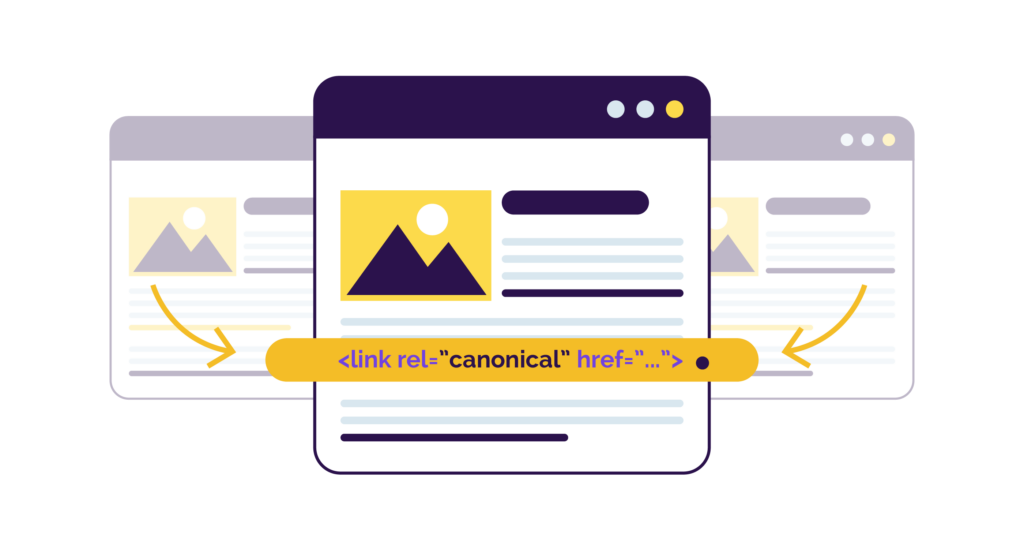
A canonical tag tells search engines which version of a page is the preferred URL. It consolidates ranking signals, prevents duplicate content issues, and helps ensure the right page appears in search results.
In this guide, we’ll break down exactly what canonical tags are, why they matter for SEO, and how to implement them correctly without accidentally confusing search engines.
Article Summary
- Canonical tags tell search engines which version of a page should be treated as the primary URL. They’re implemented using the rel=”canonical” attribute in HTML.
- Canonicalization helps prevent duplicate content issues when multiple URLs display the same or similar content.
- Canonical tags consolidate ranking signals such as backlinks and internal links to a single preferred URL.
- Common use cases include tracking parameters, e-commerce product variations, and pagination.
- Canonical tags are not the same as redirects. Redirects send users to a different page, while canonicals simply signal which URL search engines should prioritize.
- Incorrect canonical implementation can harm SEO, so tags should be audited regularly as part of technical SEO maintenance.
What Is a Canonical Tag?
Let’s start with the core idea.
A canonical tag is an HTML element that tells search engines which version of a page should be treated as the preferred URL when multiple URLs contain the same or similar content.
In SEO terms, it’s called rel=”canonical”.
When search engines crawl a page and see a canonical tag, it signals that the URL specified in that tag should be treated as the canonical version of the content. Other versions of the page may still exist, but the canonical tells search engines which one should receive the primary ranking signals.
In other words, it helps guide search engines toward the correct page.
Without canonical tags, duplicate URLs can confuse search engines. The same article might exist under different URLs, causing duplicate content issues and splitting link equity across several pages.
Canonicalization solves that problem by consolidating signals into a single canonical page.

Canonical Tag Definition
In simple terms, a canonical tag tells search engines:
“These pages may look similar, but this one is the preferred version.”
This situation happens more often than people realize.
A web page can easily exist under multiple URLs because of things like tracking parameters, filtering options, or CMS-generated variations. For example:
- example.com/shoes
- example.com/shoes?utm_source=newsletter
- example.com/shoes?sort=price
To users, these all display the same page.
But to search engines, they are different URLs with the same content. If left unmanaged, Google may index several duplicate pages, which can dilute ranking signals.
Adding canonical tags pointing to the preferred canonical URL tells search engines which version of the page should be treated as the original version.
This helps:
- consolidate link equity
- prevent duplicate content
- ensure the correct page appears in search results
What Does rel=”canonical” Look Like in HTML?
A canonical tag is implemented using a link element inside the <head> section of the HTML.
Here’s a basic example:
<link rel="canonical" href="https://example.com/shoes">This line of HTML code tells search engines that the URL listed in the href attribute is the full canonical URL for the page.
A few important details matter here.
First, the canonical tag must appear inside the HTML head of the page. Search engines expect the rel canonical link element to be placed there so it can be detected quickly when the page is crawled.
Second, the canonical URL should always use absolute URLs rather than relative URLs. For example:
Correct:
<link rel="canonical" href="https://example.com/shoes">Less reliable:
<link rel="canonical" href="/shoes">Using absolute URLs helps avoid misinterpretation when search engines evaluate canonical signals.
Finally, each page should contain only one canonical tag. Having multiple canonical tags in the same HTML document can confuse search engines and cause them to ignore the signal entirely.
When implemented correctly, the rel=”canonical” HTML element becomes a powerful way to inform search engines which URL represents the primary version of a page.
Why Canonical Tags Matter For SEO
At first glance, canonical tags can feel like a small technical detail.
Just one line of HTML. One link element tucked into the <head> of a web page.
But that one line plays an important role in how search engines understand your website.
Without canonical tags, the same content can easily appear at multiple URLs. And when search engines discover duplicate pages, they have to decide which version of the page should appear in search results.
Sometimes they get it right.
Sometimes they don’t.
Canonical tags reduce that ambiguity by clearly informing search engines which URL is the preferred version. They help consolidate ranking signals, preserve link equity, and prevent SEO value from being split across duplicate URLs.
Let’s look at the two biggest reasons canonical tags matter.
Preventing Duplicate Content Issues
Duplicate content is more common than most people think.
It rarely happens because someone intentionally copied a page. Instead, it usually occurs when the same content becomes accessible through different URLs.
For example:
- example.com/product
- example.com/product/
- example.com/product?utm_source=email
Each URL loads the same page with the same content.
But from a technical perspective, they’re treated as separate pages.
This creates duplicate content, which can confuse search engines during crawling and indexing. When multiple pages contain the same or similar content, search engines must decide which one represents the canonical version.
That’s where canonical tags come in.
By adding a canonical link that points to the preferred canonical URL, you help search engines understand which version of the page should be treated as the primary one.
For example:
<link rel="canonical" href="https://example.com/product">Now, when search engines crawl the other duplicate URLs, they see the canonical signals directing them to the original version.
This helps ensure the correct page appears in search results.
Consolidating Link Equity
Canonical tags also help protect one of the most important SEO assets: link equity.
When duplicate pages exist, they can accumulate backlinks independently. One page might earn a few links, another might receive links from different sites, and suddenly, your authority is split across several non-canonical URLs.
For example:
- Page A: example.com/product
- Page B: example.com/product?ref=homepage
- Page C: example.com/product?color=blue
If all three URLs receive backlinks, their ranking signals become diluted.
But when canonical tags pointing to the preferred URL are implemented correctly, those signals are consolidated.
Instead of treating each page separately, search engines consolidate link equity and other ranking signals into the canonical page.
This strengthens the authority of the preferred version and improves its ability to rank in Google Search.
It also helps search engines crawl your site more efficiently by directing them toward the pages that actually matter.
And when your SEO efforts are focused on a single canonical URL instead of scattered across multiple pages, your rankings become much easier to maintain.
When Should You Use Canonical Tags?
In theory, canonical tags sound simple.
If you have duplicate content, add a canonical tag pointing to the preferred version of the page. Problem solved.
In reality, websites generate multiple URLs for the same content all the time. Tracking parameters, filters, pagination, CMS quirks, and e-commerce variations can all create duplicate URLs without anyone realizing it.
And when that happens, search engines have to decide which canonical version should appear in search results.
Sometimes Google guesses correctly.
Sometimes Google decides that Page B looks better than Page A, and suddenly the wrong URL is ranking.
Canonical tags help prevent that by clearly directing search engines to the preferred canonical URL.
Here are a few of the most common scenarios where you should implement canonical tags.
URL Parameters And Tracking Links
Marketing teams love tracking parameters.
UTM tags help measure campaign performance, email clicks, and social media traffic. The problem is that each parameter creates a different URL, even though the same page loads for users.
For example:
- example.com/blog-post
- example.com/blog-post?utm_source=newsletter
- example.com/blog-post?utm_campaign=spring-sale
All three URLs display the same article, but technically, they are different URLs.
To search engines, that means duplicate versions of the same page.
Without canonicalization, those duplicate pages may compete against each other in search results, and backlinks could be distributed across multiple versions.
Adding a self-referencing canonical tag on the original URL solves the problem:
<link rel="canonical" href="https://example.com/blog-post">Now, whenever search engines crawl the parameterized URLs, the canonical signals point back to the preferred URL.
This consolidates ranking signals and ensures the original page receives the SEO value.
E-commerce Product Variations
E-commerce websites are a canonical tag factory.
Product pages often generate multiple URLs for variations like color, size, or filtering options. For example:
- example.com/shoes
- example.com/shoes?color=black
- example.com/shoes?size=10
Each version technically loads a slightly different product variation, but the underlying page content is often nearly identical.
From an SEO perspective, this can create similar or duplicate pages competing in search results.
Canonical tags allow you to choose the preferred version of the page.
For example:
- Page A: example.com/shoes
- Page B: example.com/shoes?color=black
If Page B contains the same core content as Page A, a canonical tag on Page B can point back to Page A:
<link rel="canonical" href="https://example.com/shoes">This tells search engines that Page A is the canonical page, even though Page B exists.
It helps consolidate link equity, prevent duplicate content, and ensure the primary product page maintains its ranking signals.
Pagination Or Duplicate Category Pages
Large sites often create paginated pages across category sections.
For example:
- example.com/blog
- example.com/blog?page=2
- example.com/blog?page=3
Each page contains different articles but shares a similar layout and site structure.
Depending on the site, pagination can create similar pages that confuse search engines about which page should rank.
In some cases, SEOs use canonical tags to consolidate indexing toward the primary page.
For example:
<link rel="canonical" href="https://example.com/blog">This can help guide search engines toward the main category page while still allowing users to navigate through multiple pages of content.
Pagination strategy depends on the site, but canonical tags often play an important role in preventing duplicate URLs and maintaining clear canonical signals.
Canonical Tag vs Redirect: What’s the Difference?
Canonical tags and redirects are often confused.
Both deal with multiple URLs pointing to the same content, and both help search engines understand which page should be considered the preferred version.
But they work very differently.
A canonical tag suggests which canonical URL should receive the ranking signals when duplicate pages exist. A redirect, on the other hand, physically sends both users and search engines to a different URL.
Think of it this way:
A canonical tag says,
“These pages exist, but this one is the preferred version.”
A redirect says,
“This page has moved. Go here instead.”
Understanding the difference helps ensure you choose the right tool for the right situation.
Canonical vs 301 Redirect
A 301 redirect permanently sends users and search engines from one URL to another. When a redirect is implemented, the original URL effectively disappears from the user’s perspective.
Canonical tags don’t do that.
Instead, they allow duplicate URLs to remain accessible while still directing search engines toward the canonical version.
Here’s a simple comparison:
| Feature | Canonical Tag | 301 Redirect |
| Purpose | Indicates the preferred canonical URL | Permanently moves a page to a new URL |
| User behavior | Users stay on the current page | Users are automatically sent to another page |
| Search engine behavior | Consolidates ranking signals to the canonical page | Transfers signals and replaces the old URL |
| Use case | Duplicate URLs, tracking parameters, product variations | Deleted pages, site migrations, URL changes |
For example, imagine a product page with tracking parameters:
- Page A: example.com/product
- Page B: example.com/product?utm_source=email
Both URLs load the same page, so you would typically add a canonical link on Page B pointing to Page A.
But if the product page moved permanently to a new location:
- example.com/product-old
- example.com/product-new
Then a 301 redirect would be the correct solution.
Canonical vs Noindex
Another common question is whether to use canonical tags or a noindex tag.
Both influence how search engines treat a page, but their purpose is different.
A canonical tag tells search engines:
“This page exists, but another version of the page is the main one.”
A noindex tag tells search engines:
“Do not include this page in search results.”
Here’s a quick comparison:
| Feature | Canonical Tag | Noindex |
| Indexing | Page may still be indexed | Page should not appear in search results |
| Purpose | Consolidates link equity to a preferred URL | Removes a page from the index |
| Use case | Similar pages, tracking parameters, pagination | Admin pages, thin content, duplicate filters |
For example, if you have duplicate versions of a product page caused by filters, you would usually use canonical tags pointing to the preferred version.
But if you have pages like login portals, thank-you pages, or internal dashboards, a noindex tag is often the better solution.
In short:
- Use canonical tags when multiple pages contain the same or similar content.
- Use noindex when you don’t want the page appearing in Google Search at all.
Both are powerful signals, but they solve different SEO problems.
How to Implement Canonical Tags Correctly
Adding canonical tags to a website isn’t complicated.
But implementing them incorrectly can create bigger problems than the duplicate content you were trying to fix in the first place.
Search engines rely on canonical tags to understand which version of a page should be treated as the preferred version when multiple URLs contain the same or similar content. If the signal is inconsistent — or missing entirely — search engines may index the wrong page or split ranking signals across duplicate pages.
The good news is that implementing canonical tags correctly usually follows a few simple rules.
Adding Canonical Tags In HTML
The most common way to implement canonical tags is by adding a link element inside the <head> section of a page’s HTML code.
This tells search engines which canonical URL represents the preferred version of the content.
Here’s what the canonical tag looks like:
<link rel="canonical" href="https://example.com/product-page">This rel canonical tag communicates that the URL listed in the href attribute is the preferred canonical URL for that web page.
There are a few best practices to follow when adding canonical tags:
- Always place the canonical link element in the <head> section of the HTML.
- Use absolute URLs rather than relative URLs.
- Ensure there is only one canonical tag per page.
- Point non-canonical URLs to the preferred version of the page.
It’s also good practice to add a self-referencing canonical tag on the canonical page itself. This reinforces to search engines which URL should be considered the original version.
Example:
<link rel="canonical" href="https://example.com/product-page">Even though the page references its own URL, this self-referential canonical tag helps confirm the canonical version.
Using Canonical Tags In CMS Platforms
Most modern CMS platforms make adding canonical tags relatively easy.
In systems like WordPress, Shopify, or Magento, canonical tags are often generated automatically. Many SEO tools and SEO plugins also allow you to customize the preferred canonical URL on a page-by-page basis.
For example, popular SEO plugins allow you to specify the canonical URL directly within the page settings. This is especially useful for pages with multiple URLs, such as filtered category pages or duplicate versions created by CMS parameters.
Still, it’s important to verify how your CMS generates canonical tags.
Some platforms dynamically generate canonical tags based on the page’s URL, which can accidentally create incorrect canonicals on similar pages or filtered product listings.
Regularly checking these dynamic implementations helps prevent incorrect canonical signals that could confuse search engines.
Using HTTP Header Canonicals
Canonical tags aren’t limited to HTML pages.
They can also be implemented using an HTTP header, which is particularly useful for non-HTML files such as PDFs.
For example, if you publish a PDF version of a whitepaper that also exists as an HTML page, you may want to consolidate ranking signals to the HTML version.
In that case, a canonical directive can be added via the HTTP header:
Link: <https://example.com/whitepaper>; rel="canonical"This approach allows you to apply canonicalization even when the page doesn’t contain HTML elements like the <head> tag.
It’s a powerful solution for managing duplicate URLs created by downloadable resources or alternate file formats.
When implemented correctly, canonical tags help search engines identify the preferred version of a page, consolidate link equity, and ensure the correct page appears in search results.
Common Canonical Tag Mistakes
Canonical tags are powerful.
But they’re also one of the easiest technical SEO elements to mess up.
Partly because they look so simple. It’s just one HTML element, one line of HTML code, sitting quietly in the <head> of a web page.
What could possibly go wrong?
Quite a lot, actually.
Over the years, SEOs have managed to create every possible canonical disaster imaginable: pages pointing to the wrong canonical URL, multiple canonical tags on the same page, canonicals referencing URLs that don’t exist, or worse, canonicals pointing to pages that search engines aren’t allowed to crawl.
And when those canonical signals conflict, search engines often ignore them entirely.
Let’s look at some of the most common mistakes.
Canonicalizing to Non-Indexable Pages
One of the fastest ways to break canonicalization is pointing a canonical tag to a page that cannot be indexed.
For example, imagine Page B contains a canonical tag pointing to Page A:
Link: <https://example.com/whitepaper>; rel="canonical"That’s perfectly fine — unless Page A has a noindex tag or is blocked in robots.txt.
If search engines crawl Page B and follow the canonical signal to Page A, but Page A is not indexable, they’re left with conflicting instructions.
The result?
Search engines may ignore the canonical entirely and treat Page B as its own canonical page.
To avoid this, always ensure the preferred canonical URL is indexable, crawlable, and accessible.
Conflicting Signals
Canonical tags work best when your entire site agrees on which URL is the preferred version.
Unfortunately, websites often send mixed messages.
For example:
- Internal links point to Page B
- The canonical tag points to Page A
- The XML sitemap lists Page C
Now the canonical signals are pointing in three different directions.
When that happens, search engines have to decide which signal to trust.
Google uses many signals — including internal links, sitemaps, and redirects — to determine the canonical version of a page. If those signals conflict, the canonical tag might not win.
This is why site structure and internal linking should consistently reference the preferred canonical URL.
When all signals align, canonicalization works much more reliably.
Multiple Canonical Tags
Another surprisingly common mistake is adding multiple canonical tags to the same page.
Remember: Each page should contain only one canonical tag.
If the HTML contains something like this:
<link rel="canonical" href="https://example.com/page-a">

<link rel="canonical" href="https://example.com/page-b">
…then search engines may ignore both tags entirely.
Why? Because they can’t determine which canonical version is correct.
This often happens when:
- Multiple SEO plugins add canonical tags
- Templates generate duplicate canonicals
- Developers accidentally insert additional tags
The solution is simple: Every page should contain a single rel=”canonical” link element pointing to the preferred canonical URL.
Canonical Chains
Canonical chains happen when one canonical tag points to another page that also contains a canonical tag pointing somewhere else.
For example:
- Page A → canonical to Page B
- Page B → canonical to Page C
Now, search engines must follow multiple canonical steps before finding the preferred version.
This creates unnecessary complexity and weakens the clarity of your canonical signals.
The better approach is simple:
Every non-canonical URL should point directly to the final canonical page, not through intermediate steps.
Clear signals help search engines understand which page should receive ranking signals and appear in search results.
Final Thoughts: Getting Canonical Tags Right
Canonical tags are one of those SEO tools that seem small… until they aren’t.
It’s just a single HTML element. One link element placed in the <head> of a web page. But that one tag plays a huge role in helping search engines understand which version of a page should be treated as the preferred version.
Without canonical tags, websites can easily generate multiple URLs for the same content. Tracking parameters, filters, product variations, pagination, and CMS quirks can all create duplicate URLs that contain the same or similar content.
When that happens, search engines must decide which canonical version should appear in search results. Sometimes they choose the right one. Sometimes they don’t.
Using canonical tags helps remove that ambiguity. They inform search engines which canonical URL represents the original version, help consolidate link equity, and ensure your ranking signals are focused on the pages that actually matter.
In other words, canonical tags quietly protect the value of your SEO efforts.
But like many technical SEO elements, canonicalization needs to be implemented carefully. Incorrect canonical tags pointing to the wrong URLs, conflicting signals from internal links, or multiple canonical tags on the same page can easily confuse search engines and lead to indexing issues.
That’s why canonical tags should be reviewed regularly as part of ongoing technical SEO maintenance.
Want Help Fixing Canonical Tag Issues?
If your site has duplicate pages, inconsistent canonical signals, or unclear preferred URLs, your rankings could be suffering without you realizing it.
At SEO Sherpa, we help brands identify and resolve technical SEO issues that affect how search engines crawl, interpret, and rank websites. From fixing duplicate content and implementing canonical URLs to improving site structure and consolidating link equity, our team ensures your technical SEO foundation supports long-term growth.
Book a free discovery call with our SEO experts.
We’ll review your site, identify canonicalization opportunities, and outline a strategy to strengthen your search visibility and ensure the correct pages appear in Google Search.
Because when your canonical signals are clear, search engines know exactly which pages deserve to rank.
















Leave a Reply